NPSP to Nonprofit Cloud Migration: Do You Need to Move Yet?
By the Selectiva team · Last updated October 2026
No, you don’t have to leave the Nonprofit Success Pack (NPSP) yet. Salesforce stopped adding features to it in March 2023, but it’s still supported and no end-of-life date has been announced. Don’t move just because Salesforce has a newer platform. Move when there’s a clear business reason, and when you do, treat it as a redesign rather than a copy.
“NPSP is going away” has become one of those things everyone in the nonprofit Salesforce world has heard and few have checked. It isn’t going away on any published timeline. It has, however, stopped growing, and for a lot of organizations that’s the more useful thing to know.
Is NPSP being retired?
Not as far as anything Salesforce has published. NPSP reached what Salesforce calls “end of innovation” when Nonprofit Cloud launched in March 2023, meaning no new features. According to Salesforce Ben’s 2026 overview of Salesforce’s nonprofit products, NPSP is still fully supported, so you can keep using it and still open support cases.
Salesforce currently uses both “Nonprofit Cloud” and “Agentforce Nonprofit” across its materials. For simplicity, this article uses Nonprofit Cloud. It’s the platform Salesforce recommends for new nonprofit customers and where its nonprofit investment is going.
What’s the difference between NPSP and Nonprofit Cloud?
NPSP is a set of managed packages sitting on top of Salesforce. Nonprofit Cloud is built into the core platform, with its own data model for fundraising, programs, volunteers and grants.
That’s why moving between them means migrating into a new org, not clicking an upgrade button. Households, donations and recurring gifts are structured differently, so they need careful mapping. On the bright side, many of the custom fields and workarounds teams bolted onto NPSP over the years now have a standard equivalent.
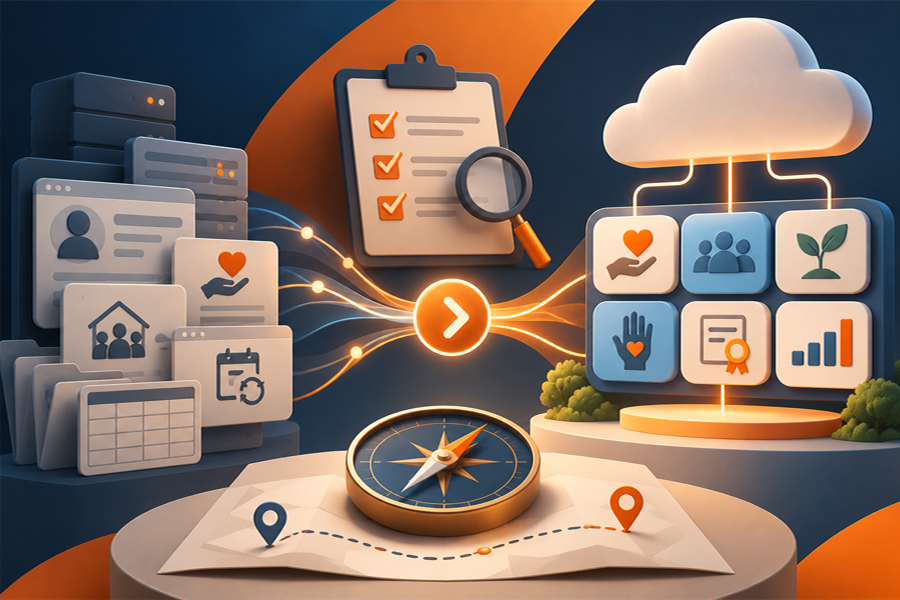
The bigger opportunity isn’t simply moving from one Salesforce model to another. It’s deciding what should work better after the move, across fundraising, data, processes, integrations and the capabilities you’ll want in the future.
When does it make sense to move to Nonprofit Cloud?
The trigger isn’t always fundraising. For some organizations, the current NPSP org has become too customized or difficult to maintain. For others, Salesforce now needs to support more than fundraising alone, such as programs, outcomes, volunteers or grantmaking.
A move deserves serious consideration if any of these sound familiar.
Your program data lives somewhere else. If participants, outcomes or case notes sit in spreadsheets or a separate tool, Nonprofit Cloud’s program management can bring them alongside your donor data.
Your fundraising has changed shape. Major gifts, multi-year pledges, grants and events are handled more naturally in Nonprofit Cloud than in an NPSP org held together with custom code.
Only one person understands your setup. If that person is a long-departed consultant, a migration is a good excuse to swap their custom work for standard features.
You’re already in the middle of something big, like a new strategy, a merger, a new payment processor or a website rebuild. You’ll be rethinking parts of your process anyway.
When is it fine to stay on NPSP for now?
If NPSP works and your team is stretched, staying on NPSP for now may be perfectly sensible. A migration needs real staff time for decisions, data review and testing, and the middle of a campaign is a bad moment to find it.
The same goes for small organizations with clean data and few customizations. They give up very little by staying put for now.
Cost matters too. Nonprofit Cloud editions are priced differently from the NPSP setup many nonprofits started with, so check licensing for your team size before you commit.
What does an NPSP to Nonprofit Cloud migration involve?
Discovery
List your objects, custom fields, automations, reports and integrations, including payment processors, email tools and online forms. Decide what moves, what changes and what gets retired.
Design
Map NPSP structures such as households and recurring donations to Nonprofit Cloud’s model. Most of the important decisions get made here, so bring in your development and finance leads early.
Data cleanup and migration
Merge duplicate donors, fill in incomplete records and agree how much history to bring. Migrate in rounds, and check totals against your finance records after each one.
Integrations and testing
Reconnect payment, email and form tools, then test real scenarios: a new online gift, a recurring donation change, a tax receipt, the monthly board report.
Training and launch
Train staff on the new screens before go-live and plan a short support window afterwards for questions and fixes.
Where to start
Before deciding anything, start with a structured assessment of your current org. Write down what’s in your current org, where it causes your team pain, what the next three years of fundraising and programs look like, and roughly what a move would cost in time and money. That’s usually enough to settle the debate one way or the other.
How Selectiva supports nonprofit migrations
As a Salesforce Crest Partner, Selectiva helps nonprofits plan and carry out NPSP to Nonprofit Cloud migrations, including the data cleanup and integrations that come with them. And if staying on NPSP for now is the better call, we’ll say so.
Not sure whether your NPSP org is ready to move? Selectiva can assess your current data model, customizations, integrations and operating priorities, then help you determine what should be retained, redesigned, retired or migrated. Talk to our team about where your organization stands.
Frequently asked questions
Is NPSP being discontinued?
Salesforce hasn’t announced an end-of-life date. It stopped developing new NPSP features in March 2023, but the product is still supported and organizations can keep using it.
Is Nonprofit Cloud the same as Agentforce Nonprofit?
Salesforce currently uses both names across its materials for its nonprofit platform. This article uses Nonprofit Cloud for simplicity.
Can NPSP be upgraded to Nonprofit Cloud in the same org?
Not in place. The two products use different data models, so moving means migrating your data into a new Salesforce org.
How long does an NPSP to Nonprofit Cloud migration take?
There’s no useful one-size-fits-all migration timeline. The effort depends on the complexity of the current org and how much redesign is included in the move.
Do we need to migrate all our historical donation records?
Not always. Many nonprofits bring active donors and a set period of history, then archive older records for reporting and audit. The right cut-off depends on your reporting and compliance needs.
Will our payment processor and email tools work with Nonprofit Cloud?
Integration compatibility varies by product and edition, so payment, marketing, forms and other connected tools should be reviewed individually during migration planning.